Khi làm dự án outsource, có thể bạn sẽ phải deploy một bản demo ở môi trường của nhà đầu tư và không muốn để lộ source code.
Hiện nay việc dùng docker để deploy là phổ biến, tuy nhiên các tutorial về docker của express.js đa phần là copy nguyên source code vào trong docker image và chạy lệnh start. Nếu đối tác có kinh nghiệm thì sẽ dẫn tới việc họ mount volume application và lấy được hết source code của mình ra.
Giải pháp trong trường hợp này là mình sẽ compile project express.js ra thành một file binary để chạy trong docker, hạn chế việc bị lộ code.
Thư viện để giúp build express.js app thành file binary là https://github.com/vercel/pkg
Đầu tiên chúng ta sẽ tạo một project express.js cơ bản bằng:
npm init
npm install express --save
Sau đó, chúng ta sẽ tạo file index.js trả về “Hello World!” ở port 3000:

const express = require('express')
const app = express()
const port = 3000

app.get('/', (req, res) => {
  res.send('Hello World!')
})

app.listen(port, () => {
  console.log(`Example app listening on port ${port}`)
})
Update file package.json thành như sau, chạy “npm run start” và truy cập vào http://localhost:3000 để test thử.
{
	"name": "dockernode",
	"version": "1.0.0",
	"description": "",
	"main": "index.js",

	"scripts": {
		"start": "node index.js"
	},
	"author": "",
	"license": "ISC",
	"dependencies": {
		"express": "^4.17.3"
	},
}
Tiếp theo, chúng ta sẽ build docker image với pkg.
Trước hết, chúng ta sẽ add file .dockerignore:
**/.classpath
**/.dockerignore
**/.git
**/.gitignore
**/.project
**/.settings
**/.toolstarget
**/.vs
**/.vscode
**/*.*proj.user
**/*.dbmdl
**/*.jfm
**/azds.yaml
**/docker-compose*
**/Dockerfile*
**/node_modules
**/npm-debug.log
**/obj
**/secrets.dev.yaml
**/values.dev.yaml
**/wwwroot/uploads
.env
LICENSE
README.md
Sau đó, chúng ta tiếp tục add file Dockerfile
FROM alpine:latest AS base
WORKDIR /app
ENV NODE_ENV=production
# install pkg helper for runtime
RUN apk update && apk add --no-cache libstdc++ libgcc
EXPOSE 3000

FROM node:14-alpine AS build
WORKDIR /app
RUN apk update && apk add --no-cache git
RUN npm i -g pkg
# run below command to download and cache pkg builder for alpine
RUN touch noop.js && pkg noop.js --out-path=build -t alpine && rm -rf build && rm noop.js
COPY ["package*.json", "."]
RUN npm install
COPY . .
RUN npm run package

FROM base AS final
WORKDIR /app
COPY --from=build /app/start-server /app/start-server
CMD ["/app/start-server"]
Và update package.json như sau:
{
	"name": "dockernode",
	"version": "1.0.0",
	"description": "",
	"main": "index.js",
    "bin": "index.js",
	"scripts": {
		"start": "node index.js",
		"package": "pkg package.json --output start-server -t alpine"
	},
	"author": "",
	"license": "ISC",
	"dependencies": {
		"express": "^4.17.3"
	},
	"pkg": {
		"targets": [ "alpine" ],
		"assets": [ "public/**/*" ],
		"output": "start-server",
		"debug": "1"
	}
}
Tiếp theo, chúng ta sẽ chạy 2 lệnh này để build docker và run docker image
docker build . -t dockernode
docker run -p 3000:3000 -it dockernode
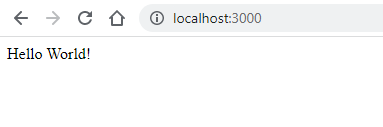
Sau khi chạy xong, thì bạn truy cập vào http://localhost:3000 và sẽ thấy như sau: